Shopping Cart (0)
Close


When it comes to choosing a student laptop in Sri Lanka, the balance between performance, battery life and portability can feel like navigating a maze of specs and price tags. For learners who need dependable machines for lectures, assignments and late-night research sessions, the right choice opens up possibilities instead of holding them back. At MyItem.lk, we’ve seen everyday students and professionals alike find machines that fit their routines without unnecessary compromise, blending real-world needs with practical configurations.
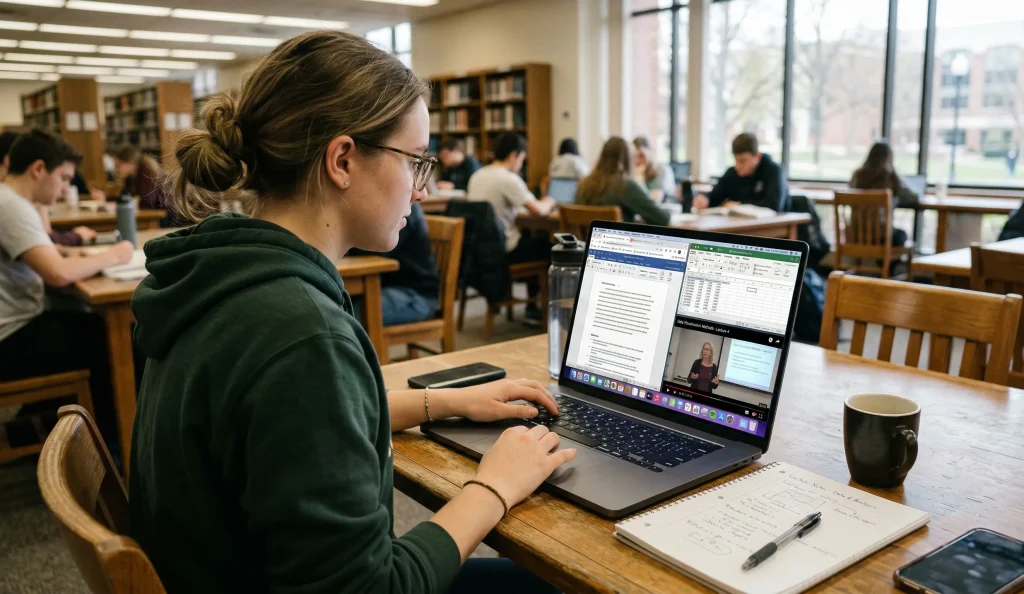
Imagine sitting in class with dozens of tabs open, a video lecture streaming and a word processor churning out your latest essay. That’s when the processor and memory truly matter. Mid-tier Intel Core i5 and equivalent chips in many laptops strike a sweet spot here: capable of handling academic workloads without becoming a bottleneck. You’ll find models like the Dell Latitude 3420 with an 11th Gen i5, 8 GB RAM and a 256 GB SSD, a combination that delivers quick boot-ups and fluid multitasking throughout long study days.
Students also benefit from configurations with solid state drives (SSD). SSDs make applications and files load faster, which can make routine tasks feel smoother and less disruptive. A 256 GB SSD, common in several units we stock, is typically enough space for essays, presentations and media projects without needless bulk.
If you’re comparing current brand new laptops in Sri Lanka for the latest processors and warranties, it helps to weigh them against used laptops in Sri Lanka that can still deliver strong everyday study performance at a friendlier budget.
Even tools designed for the office perform better when memory and storage are matched well, so your laptop stays responsive whether you’re crunching spreadsheets or editing slides.
Machines with business-grade reliability features often share performance traits with education-ready laptops, underscoring how thoughtful specs can elevate everyday tasks.
Battery life is one of those specs you think about most when you’re on campus or in a cafe far from a plug point. A machine that runs for six hours or more under typical use can be a silent ally in your day. Laptops optimized with efficient processors and energy-lean hardware help with that, letting you move from lecture to library without constantly hunting for sockets.
Take a scenario where you’re working through back-to-back classes: long battery life keeps you productive without tethering you to desks. This becomes even more valuable when your workload includes research, document editing and collaborative tools that can run for hours on end.
If long-term battery health matters to you, it’s also worth checking compatible laptop batteries so your device can stay useful for longer instead of becoming less reliable after heavy daily use.
Choosing hardware with thoughtful power management gives you flex over when and where you work, similar to how professionals value reliable uptime during extended sessions.
That attention to endurance is one reason business laptop models often get chosen by students who need consistency across long days.
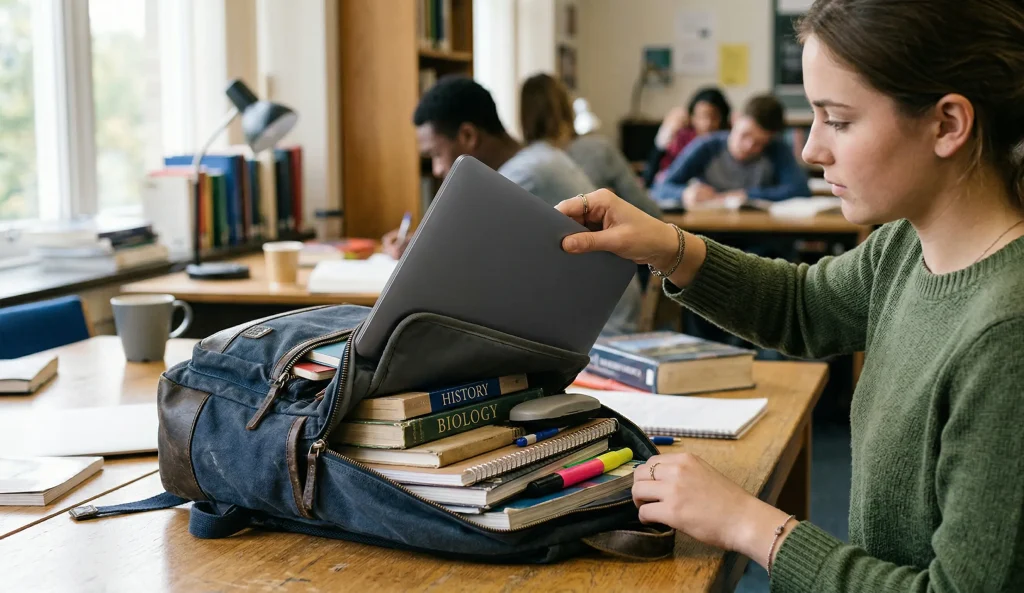
A student’s laptop is often in motion—tucked under a shoulder, jostled in a backpack, shared between study groups. This means weight and build strength are more than checklist items: they shape your daily experience. Models around the 1.3 kg to 1.8 kg range hit a comfortable middle ground, light enough for routine carry but robust enough for regular use.
A compact 14-inch display can help keep weight down without shrinking your workspace too much. Displays at this size still offer readable screens and productive layouts for writing, browsing and presentation design.
Yet screen size and weight aren’t everything. Think about chassis durability, hinge strength and keyboard feel too. A laptop that creaks under pressure or feels flimsy can become a source of frustration rather than a tool. That everyday resilience has made certain business-oriented laptops popular with students, even if marketed to professionals first.
Storage on student laptops falls into a few sensible categories. SSDs, whether 256 GB or 512 GB, are the norm now because they drastically improve system responsiveness and reduce wait times. With fast read/write speeds, boot times shrink and apps launch instantly, smoothing your workflow.
If you’re someone juggling heavy media files like video projects or large datasets for classes, consider larger SSDs or the possibility of external storage. But for most undergraduates, a mid-range SSD paired with cloud storage strikes the right balance of speed and capacity.

Laptops today are expected to be hubs of connectivity. USB-A ports still matter because many peripherals use them, but USB-C is increasingly useful for power and data. HDMI ports let you connect easily to projectors and external monitors—handy when presenting or setting up dual screens for studying.
Wireless connectivity is just as critical. Look for devices that support reliable Wi-Fi standards so you’re not fighting for a stable connection in lecture halls and libraries.
It can also help to browse laptop accessories and compatible laptop adaptors if you want a more complete study setup with chargers, hubs, or replacements that support daily campus use.
There’s real value in both brand new and carefully refurbished laptops, especially when budgets are tight. New laptops often come with current gen processors, longer warranties and the confidence of unused hardware. At the same time, refurbished units can deliver excellent value if they’re from reliable sources and have been thoroughly tested.
For a student mindful of cost and performance, refurbished latitude series laptops with i5 processors and SSD storage can be a smart stepping stone into a capable machine without stretching the budget too far. Values like these echo why many learners are open to refurbished options for solid performance on a budget.
Students who also want a machine that can handle entertainment after study hours may find it useful to compare these choices with our guide on Best Gaming Laptop Price in Sri Lanka, especially when deciding whether a student laptop should also cover light or mid-range gaming.
When you weave all of this together—performance, battery life, portability, storage and connectivity—you arrive at a clear checklist that matches what real students need day to day. Whether you’re drafting a thesis, joining back-to-back online sessions, or editing project videos, a balanced laptop reduces friction and supports your academic life.
Picking a machine is an investment in your study habits and peace of mind. You want something that simply works when you need it, not a headache of slowdowns and short battery cycles. That’s the ethos behind how we bring laptop options to learners across Sri Lanka, ensuring each choice feels like a step toward your goals.
In the end, the right setup for you is one that sits comfortably in your routine and stands up to the pace of university life. With thoughtful specs, sensible battery life and the right mix of performance and portability, you’re not just getting a laptop. You’re setting the stage for every idea, essay and presentation you’ll tackle next.